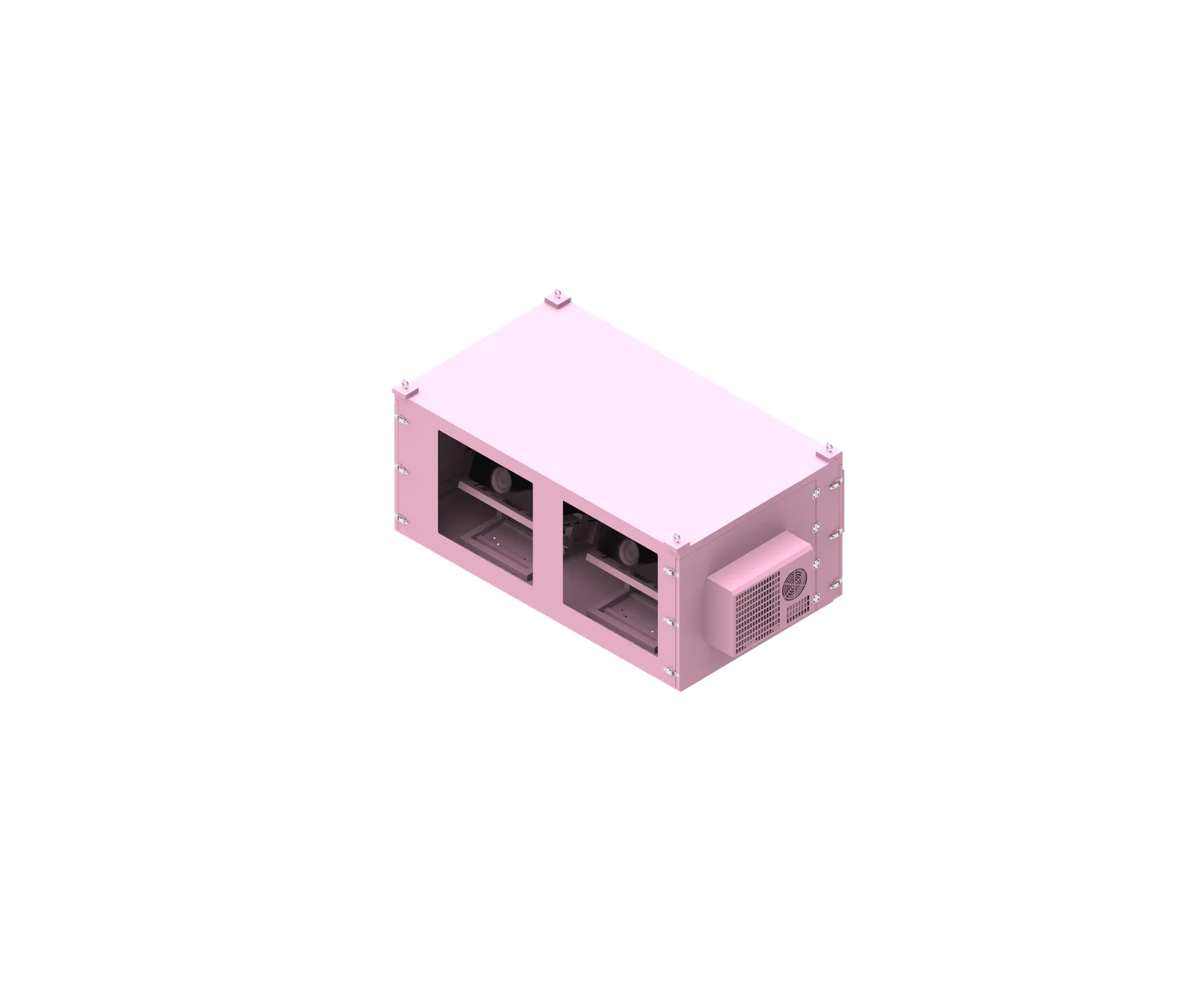
Outdoor projector enclosure maintenance should be treated as preventive maintenance site work, not a simple projector cleaning task. For AV integrators, facility teams, and service technicians, the goal is to keep filters, seals, airflow paths, cooling equipment, cable entries, and enclosure hardware in serviceable condition while documenting what was inspected, what changed, and what still requires manufacturer confirmation.
Video Guide: Explore our outdoor projector enclosure with waterproof and dustproof protection, plus heating and dehumidification.
Based on our internal data and market analysis, here is the breakdown:
| Component | What to Check | Action Required | Inspection Trigger | Verification | Record |
|---|---|---|---|---|---|
| Enclosure filters | Dust loading, blockage, deformation, frame fit, missing filter media | Clean or replace according to the specific filter instructions; do not assume washable or reusable | Planned maintenance, high dust exposure, cooling alarm, visible dirt | Confirm correct seating, no bypass gaps, airflow restored | Filter condition, cleaning method, replacement part, photo ID |
| Projector internal filter | Projector filter warning, dust status, service access condition | Follow projector manufacturer’s manual; keep separate from enclosure filter work | Projector warning, scheduled projector service, overheating symptom | Clear warning only if permitted by projector manual | Projector model, warning status, action taken |
| Air inlet and outlet | Obstruction, insect debris, leaves, dust, blocked louvers | Remove external obstruction; clean without damaging grilles or mesh | Daily visual inspection, storm, construction dust, event setup change | Confirm free airflow path and no object placed near vents | Location, blockage type, corrective action |
| Door seal gasket | Cracks, compression set, cuts, loose adhesive, dirt, missing sections | Clean gently if allowed; contact manufacturer if replacement or repair is needed | Planned maintenance, water trace, repeated door opening, aging signs | Door closes evenly; no visible gap or pinched seal | Damage description, photos, manufacturer feedback |
| Door locks and hinges | Loose fasteners, corrosion, misalignment, abnormal resistance | Tighten only where permitted; escalate damaged locks or hinges | Planned maintenance, forced entry concern, difficult closing | Door latches fully without excessive force | Hardware condition, fastener action, unresolved issue |
| Enclosure joints and panels | Gaps, deformation, corrosion, cracked coating, abnormal water marks | Clean and document; consult manufacturer for structural repair | Storm, impact, relocation, visible water trace | Panels sit correctly; no obvious distortion | Joint location, photo ID, action taken |
| Cooling fans | Noise, vibration, dust buildup, stopped fan, loose guard | Clean accessible areas safely; replace or service according to product instructions | Cooling alarm, abnormal noise, planned service | Confirm fan operation after restart | Fan ID, symptom, action, verification |
| Air-conditioned cooling unit | Operating status, alarms, heat-exchanger cleanliness, condensate route where applicable | Follow actual air-conditioner manual; qualified personnel for electrical or refrigeration repair | Alarm, poor cooling, planned HVAC service, water trace | Confirm unit runs normally and alarms are cleared according to manual | AC model, alarm code, service note |
| Optical window | Dust, water marks, scratches, coating damage, internal condensation | Clean only with approved optical-safe method; replace if damaged | Image haze, visible dirt, after storm, scheduled service | Confirm image path is clear without new streaks | Cleaning method, window condition, photos |
| Cable entry | Gland tightness, unused openings, cracked grommets, water trace, cable strain | Reseat or replace only with compatible parts; contact manufacturer if sealing design is unclear | Cable change, maintenance access, water trace | Cable is supported; no visible gap or loose entry | Cable ID, entry condition, action |
| Drainage parts, if fitted | Drain hole, condensate tube, drain trap, blockage, backflow mark | Clean only as designed; mark N/A if enclosure has no drainage part | Water trace, AC maintenance, seasonal inspection | Confirm drainage path is open and routed correctly | Drain component, N/A status, cleaning result |
What is outdoor projector enclosure maintenance?
Outdoor projector enclosure maintenance is the planned inspection, cleaning, correction, and documentation of the enclosure systems that protect and cool an installed projector. It covers enclosure filters, projector filters, seals, locks, vents, fans, air-conditioning units, optical windows, cable entries, and drainage parts where fitted, without treating every enclosure configuration as identical.
Scope of Preventive Maintenance
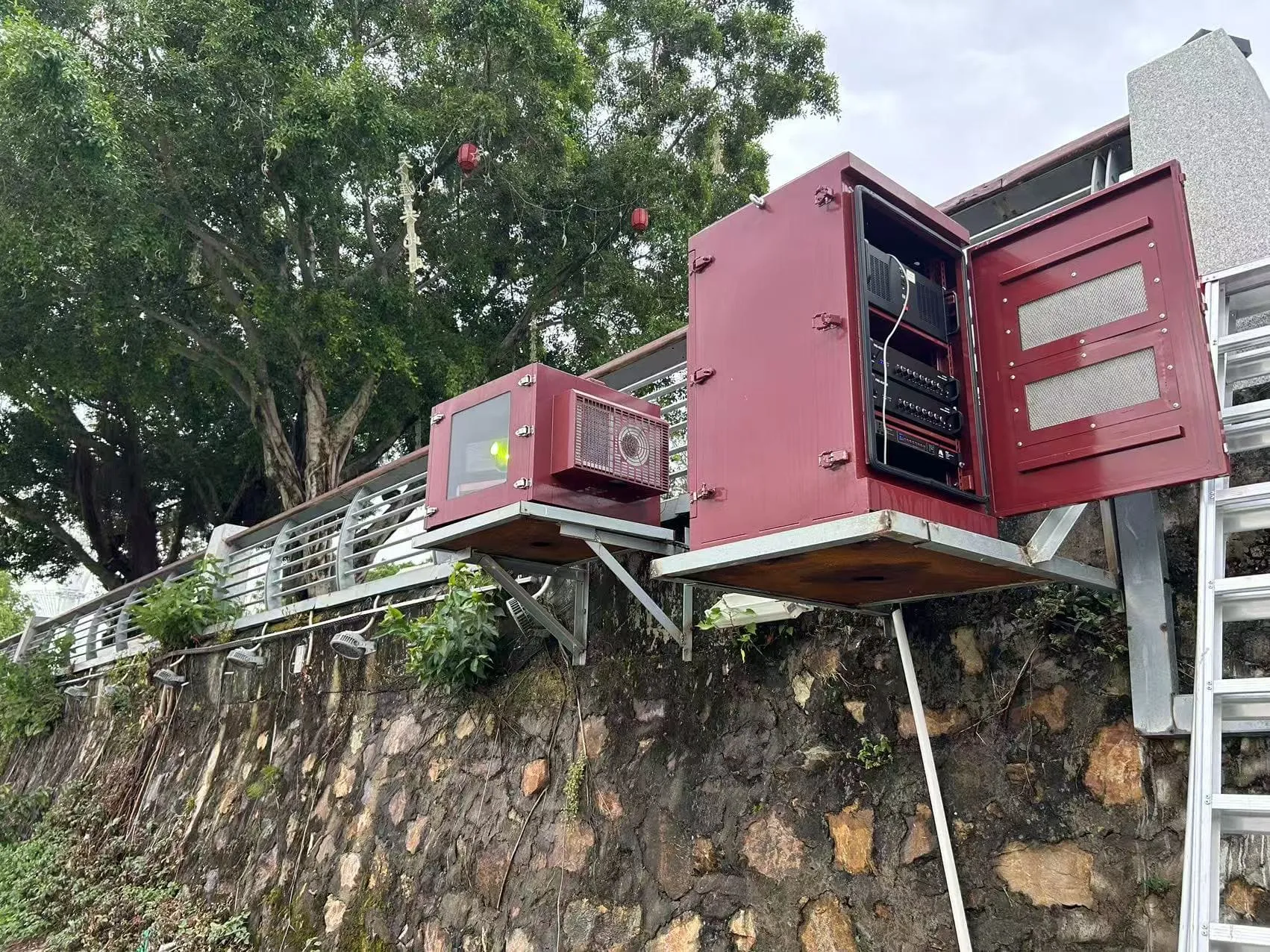
Outdoor projector enclosure maintenance is a site-specific process. A sealed, air-conditioned enclosure used near a coastline requires different attention from a fan-cooled enclosure installed under a covered stadium roof. The maintenance technician should first identify the actual enclosure configuration, then apply the correct checklist only to components that exist on that unit.
A practical outdoor projector enclosure maintenance checklist should separate “inspect,” “clean,” “replace,” “verify,” and “record” tasks. This prevents technicians from replacing parts unnecessarily or cleaning components in a way that violates the filter, projector, or air-conditioner instructions.
Key items to define before maintenance begins include:
- Enclosure model and serial number, if available
- Projector model and lamp or laser operating status
- Cooling method: fan-cooled, heat-exchanger, air-conditioned, or hybrid design
- Filter type and whether the filter is disposable, washable, vacuum-cleanable, or not serviceable on site
- Seal type, door structure, lock type, and cable-entry configuration
- Whether condensate drainage or another water-management part is actually installed
- Site exposure: dust, salt air, insects, rain direction, wind, heat, public access, or event smoke effects
Routine visual inspection is not the same as formal IP testing, waterproof certification, or a factory performance test. Maintenance teams should record visible conditions and escalate questionable findings to ShiRui or the relevant equipment manufacturer rather than making unsupported pass/fail claims.
ShiRui Pro Tip: I always ask the technician to photograph the enclosure before opening it. The first photo often shows blocked vents, loose cables, water streaks, or missing covers that may disappear once maintenance work begins.
How Does outdoor projector enclosure maintenance Work?
Outdoor projector enclosure maintenance works by controlling three risk paths: contaminated airflow, degraded sealing, and unstable cooling performance. Technicians inspect the enclosure, clean or replace approved service parts, check door and cable sealing, verify fan or air-conditioner operation, then document the result so future maintenance decisions are based on site history rather than guesswork.
Workflow From Inspection to Verification
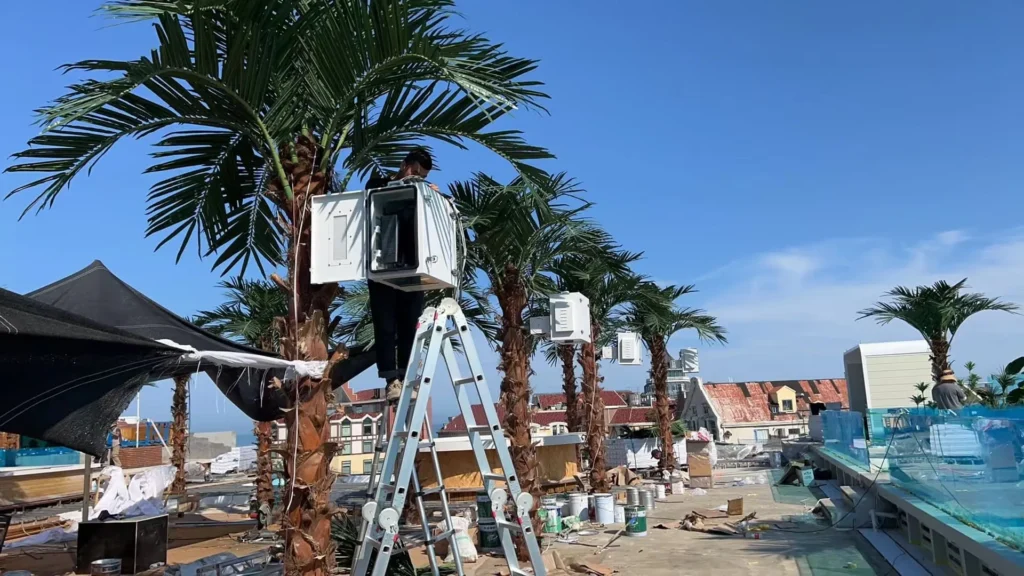
A reliable projector enclosure preventive maintenance process should be repeatable. The technician should not begin by removing parts randomly. Instead, maintenance should follow a controlled sequence that protects equipment, avoids unsafe work, and produces usable records.
Recommended workflow:
- Review the manuals and previous records Check the ShiRui enclosure documentation, projector manual, air-conditioner manual if applicable, and the last service report. Note previous warnings, replaced parts, damaged seals, or unresolved manufacturer recommendations.
- Prepare the site safely Follow the equipment manuals for shutdown, cool-down time, power isolation, and safe access. Avoid opening outdoor equipment during unsafe weather, heavy rain, lightning risk, high wind, or unstable access conditions.
- Inspect before cleaning Record visible dust, water marks, insects, cable strain, door misalignment, blocked vents, or alarm status before wiping or moving anything.
- Service only approved components Clean or replace enclosure filters according to the specific filter instructions. Do not wash a filter unless the filter documentation confirms that washing is allowed. Keep projector internal filter maintenance separate and follow the projector manufacturer’s requirements.
- Check cooling paths For fan-cooled enclosures, inspect intake, exhaust, fans, and internal airflow paths. For air-conditioned enclosures, check the actual air-conditioning unit status, heat-exchange surfaces, alarms, and condensate handling where fitted.
- Close and restore correctly Reinstall parts in the correct orientation, close the door evenly, confirm locks engage, and make sure cables are not pinched.
- Verify operating status Restart according to the manuals. Check projector status, enclosure cooling status, alarms, airflow, abnormal noise, and measurable temperature or humidity only where suitable sensors are installed.
- Complete the maintenance record Include date, equipment ID, operating hours, findings, photos, parts replaced, technician name, and next inspection recommendation.
ShiRui Pro Tip: I do not rely on “looks clean now” as a final result. After closing the enclosure, I verify that the cooling system runs normally and that no door seal, cable, or filter was disturbed during reassembly.
What are the benefits of outdoor projector enclosure maintenance?
The main benefit of outdoor projector enclosure maintenance is risk reduction. A structured maintenance schedule helps prevent filter blockage, airflow restriction, seal degradation, water intrusion symptoms, cooling alarms, image degradation through dirty windows, and undocumented part changes. It also gives operators evidence for future troubleshooting and manufacturer support discussions.
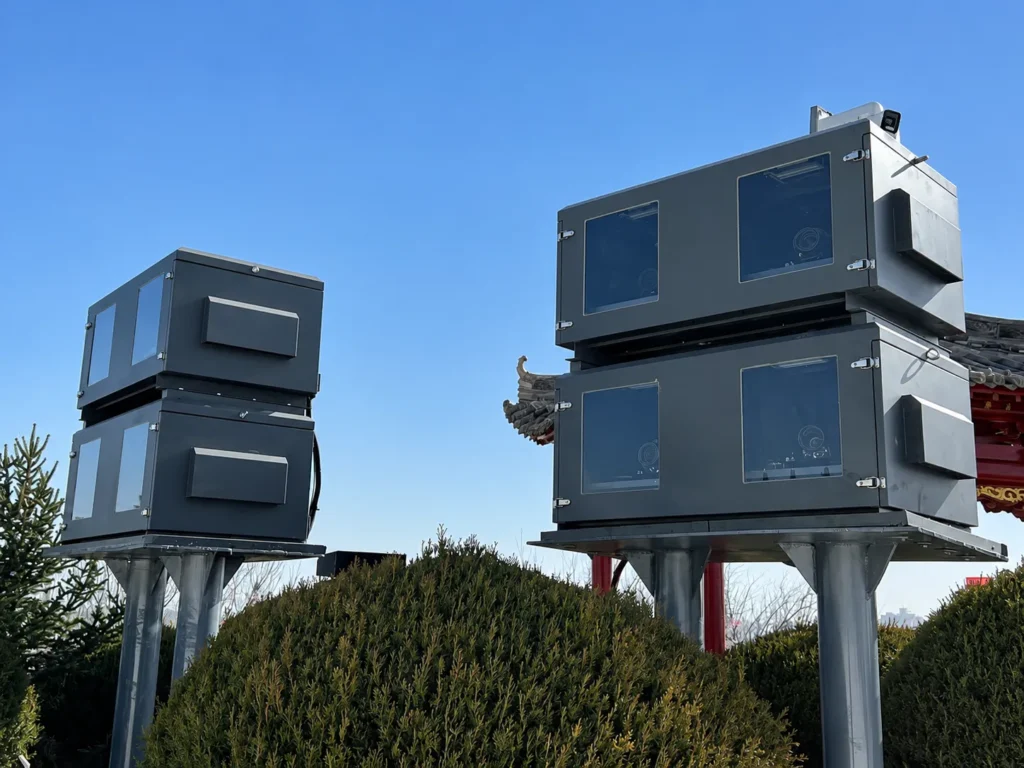
Operational Value for Projector Sites
For AV system integrators and facility operators, maintenance is valuable because outdoor projection systems usually operate in uncontrolled environments. Dust, insects, humidity, rain direction, salt air, vibration, and human access can affect the enclosure long before the projector itself reports a fault.
Based on our internal data and market analysis, here is the breakdown:
| Maintenance Area | Practical Benefit | What It Helps Prevent | Important Limitation |
|---|---|---|---|
| Filter checks | Keeps airflow paths serviceable | Fan strain, cooling alarms, dust bypass | Does not guarantee projector temperature reduction without verification |
| Seal inspection | Identifies visible damage early | Water trace, dust entry, door compression issues | Visual inspection is not formal IP certification |
| Vent and fan cleaning | Reduces obstruction risk | Blocked intake, weak exhaust, abnormal noise | Electrical fan repair should follow qualified service procedures |
| Air-conditioner review | Confirms cooling unit status | Alarm operation, poor heat rejection, condensate issue | Refrigeration repair must be handled by qualified personnel |
| Optical window cleaning | Maintains clear image path | Haze, streaks, visible dirt in projection beam | Scratched or coated windows may require replacement |
| Record keeping | Creates traceable service history | Repeated undocumented faults | Records are only useful when accurate and consistent |
Good maintenance also supports decision-making. If a filter becomes dirty soon after each cleaning, the issue may be site dust exposure, intake position, or event conditions. If a door seal repeatedly shows compression damage, the cause may be door alignment, incorrect closing pressure, or cable interference.
ShiRui Pro Tip: When a site has repeated overheating symptoms, I compare photos from several visits before changing parts. The pattern often shows whether the real cause is dust, blocked clearance, fan failure, or a changed site condition.
How to maintain an outdoor projector enclosure maintenance?
To maintain an outdoor projector enclosure, shut down and isolate equipment according to the manuals, inspect the enclosure before cleaning, service filters only as specified, check seals and cable entries, inspect cooling components by type, restore all parts correctly, run a functional check, and complete a maintenance record with photos and follow-up actions.
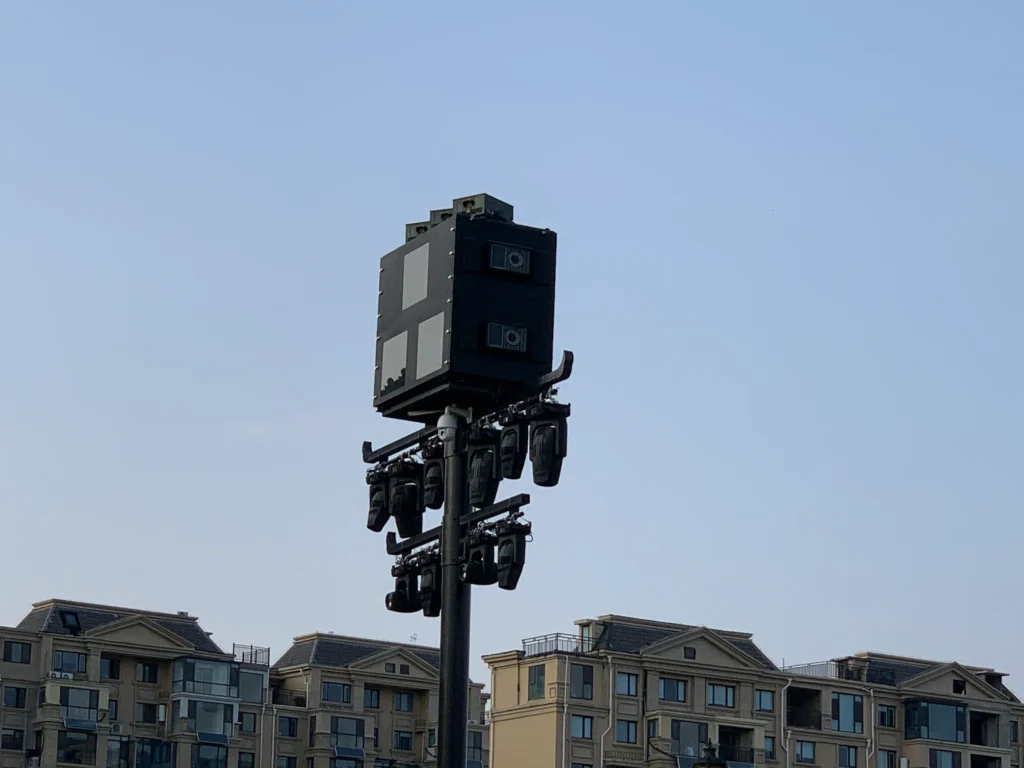
Field Checklist for Filters, Seals, and Cooling
A useful maintenance visit should cover the enclosure filter, projector body filter, enclosure sealing points, cooling system, optical window, cable entries, and any drainage parts actually installed. Mark non-applicable items as N/A instead of assuming every ShiRui or third-party enclosure has the same configuration.
Recommended task sequence:
- Safety preparation
- Follow the projector and enclosure shutdown procedure.
- Allow equipment to cool if required.
- Isolate power according to site safety rules and equipment manuals.
- Do not open the enclosure during unsafe weather or unstable access conditions.
- Use suitable PPE and access equipment for the installation height and location.
- Filter maintenance
- Identify whether the filter belongs to the enclosure or the projector.
- Record visible dust level, filter deformation, tears, moisture, insect debris, or missing filter media.
- Check whether the filter frame sits flush and prevents bypass gaps.
- Clean only by the method allowed for that filter type, such as approved dry brushing, vacuuming, compressed air limits, or washing if explicitly permitted.
- Replace the filter if it is damaged, cannot seat correctly, remains blocked after approved cleaning, or the manufacturer’s instructions require replacement.
- Do not create a universal filter replacement interval unless it is supported by the specific product documentation and site history.
- Seal and housing inspection
- Inspect door gasket surfaces for cracks, cuts, hardening, compression set, dirt buildup, loose adhesive, or missing sections.
- Check enclosure joints for gaps, deformation, corrosion, coating damage, and abnormal water traces.
- Verify door locks, hinges, and fasteners are secure and not preventing even door closure.
- Inspect cable glands, grommets, unused entries, and strain relief.
- Contact ShiRui or the relevant manufacturer if seal replacement, structural repair, or cable-entry modification is needed.
- Fan-cooled enclosure maintenance
- Check inlet and outlet clearance.
- Remove leaves, dust, packaging, covers, insect nests, or event materials blocking vents.
- Inspect fans for abnormal noise, vibration, stoppage, damaged guards, or dust accumulation.
- Confirm internal airflow paths are not blocked by loose cables or added accessories.
- Air-conditioned projector enclosure maintenance
- Follow the actual air-conditioner model manual.
- Distinguish the enclosure’s internal air circulation from the air-conditioner’s external heat rejection path.
- Inspect heat-exchange surfaces, air paths, alarm indicators, and operating status according to the manual.
- Check condensate handling only if the configuration includes a drain, pump, tray, or hose.
- Leave electrical diagnostics, live testing, compressor work, and refrigerant handling to qualified personnel.
- Post-maintenance verification
- Reinstall filters, covers, guards, and panels in the correct orientation.
- Close the enclosure door without pinching cables or seals.
- Restart according to the manuals.
- Check cooling system status, projector status, alarm indicators, and abnormal sound.
- If measuring temperature or humidity, record sensor position, projection mode, ambient condition, and measurement time.
ShiRui Pro Tip: I never mix enclosure filter work with projector filter work in the record. They are different components, often with different service instructions, and confusing them can create warranty and troubleshooting problems later.
What is the price of outdoor projector enclosure maintenance?
The price of outdoor projector enclosure maintenance depends on site access, enclosure type, cooling configuration, filter and seal condition, travel requirements, replacement parts, and whether qualified electrical or air-conditioning service is needed. A simple visual inspection costs less than a full preventive maintenance visit with parts, photos, verification, and documentation.
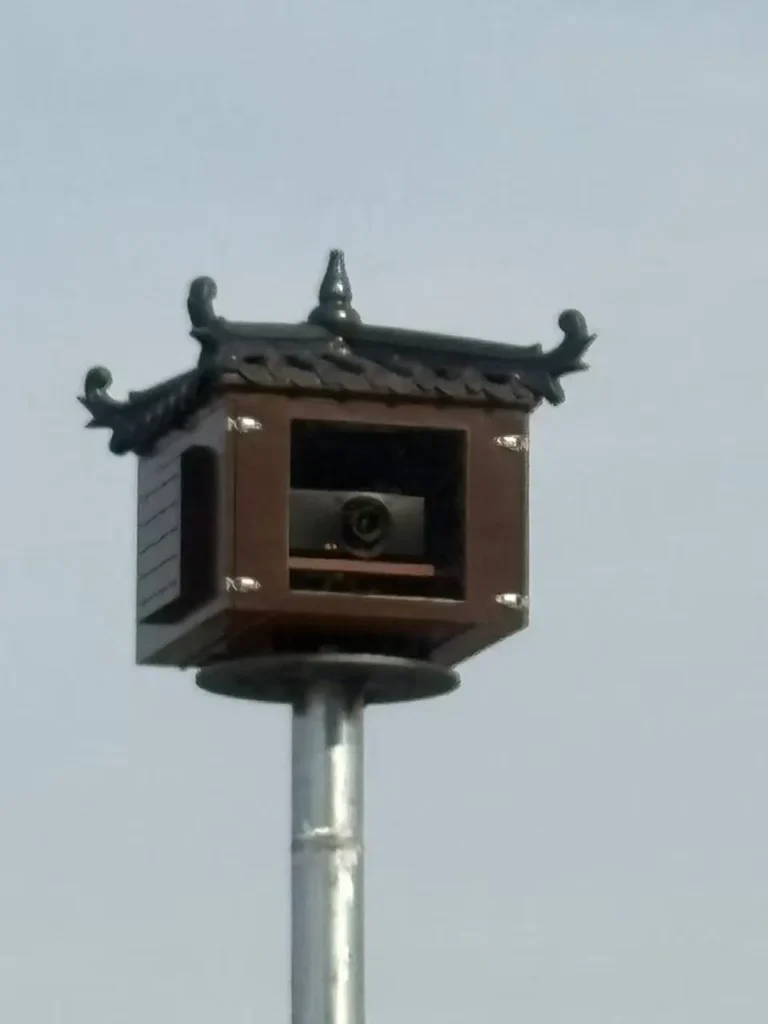
Cost Drivers and Quotation Items
Maintenance pricing should be estimated from the actual configuration, not from a single fixed number. Outdoor projector enclosure maintenance for a fan-cooled unit at ground level is different from air-conditioned projector enclosure maintenance on a rooftop, facade, projection tower, or temporary event structure.
Based on our internal data and market analysis, here is the breakdown:
| Cost Factor | Why It Affects Price | Typical Quotation Consideration |
|---|---|---|
| Site access | Height, lift equipment, security access, work permits, and working hours change labor planning | Ground access, ladder access, lift rental, night work, restricted area |
| Enclosure cooling type | Fan-cooled and air-conditioned systems require different inspection skills | Basic airflow inspection versus air-conditioner manual-based checks |
| Filter condition | Disposable, reusable, custom-sized, or damaged filters affect parts and labor | Cleaning method, replacement filter availability, quantity |
| Seal condition | Damaged door gaskets or cable entries may require manufacturer confirmation | Inspection only, gasket replacement, cable gland service |
| Environmental exposure | Dust, salt, insects, humidity, rain direction, and event smoke can increase service time | Cleaning scope, photo documentation, shorter follow-up recommendation |
| Documentation level | Some projects require detailed records, photo logs, and handover reports | Basic checklist versus full preventive maintenance report |
| Qualified service needs | Electrical faults or refrigeration issues require certified personnel | Separate specialist visit or subcontracted service |
For buying or budgeting, operators should provide the enclosure model, projector model, cooling type, installation photos, service access description, known alarms, filter part information, and any previous maintenance records. This allows ShiRui to discuss a realistic maintenance scope without inventing assumptions.
ShiRui Pro Tip: When I review a maintenance request, photos of the intake, exhaust, door seal, cable entries, and cooling unit save the most time. They help separate a cleaning visit from a repair or parts-replacement visit.
Key Features & Comparison
A good outdoor projector enclosure maintenance checklist should compare fan-cooled and air-conditioned configurations separately. The key difference is that fan-cooled units depend mainly on filters, vents, fans, and airflow paths, while air-conditioned enclosures also require attention to the installed cooling unit, heat rejection, alarms, and condensate handling where fitted.
Fan-Cooled vs Air-Conditioned Maintenance Focus
Based on our internal data and market analysis, here is the breakdown:
| Maintenance Item | Fan-Cooled Enclosure | Air-Conditioned Enclosure | Notes for Technicians |
|---|---|---|---|
| Enclosure filter | Primary inspection item; check dust, fit, and blockage | May still be present depending on design | Follow the actual filter instructions |
| Projector internal filter | Check separately according to projector manual | Check separately according to projector manual | Do not treat it as the enclosure filter |
| Air inlet and outlet | Critical for fresh air intake and exhaust | External heat-rejection path may be separate from internal circulation | Do not mix internal and external air paths |
| Fans | Inspect operation, noise, vibration, and blockage | May exist for internal circulation or cooling unit airflow | Electrical repair requires qualified service |
| Air-conditioner unit | N/A unless hybrid design includes one | Inspect according to actual AC manual | Do not provide DIY refrigerant service |
| Heat-exchange surfaces | Usually N/A unless design includes heat exchanger | Check cleanliness and airflow as manual permits | Avoid damaging fins or coatings |
| Condensate drain | Usually N/A | Check only if fitted: drain tube, tray, pump, or outlet | Mark N/A if no drainage component exists |
| Door seals | Inspect gasket, compression, contamination, and damage | Same requirement | Visual inspection is not IP certification |
| Cable entries | Inspect glands, grommets, unused holes, and water trace | Same requirement | Do not modify without compatible sealing parts |
| Optical window | Clean and inspect image path | Same requirement | Use optical-safe methods only |
The comparison matters because an air-conditioned projector enclosure does not simply “blow more air.” It may maintain a controlled internal environment while rejecting heat through a separate external side. Blocking the external condenser path can affect performance even if the enclosure interior appears clean. Likewise, a fan-cooled enclosure may suffer quickly if intake clearance is reduced by decorations, screens, boxes, or temporary event structures.
ShiRui Pro Tip: On air-conditioned units, I label photos as “inside circulation side” and “outside heat-rejection side.” That small habit prevents confusion when multiple people review the service report later.
Cost & Buying Factors
When planning maintenance budgets or purchasing service parts, consider the enclosure configuration, filter type, seal design, cooling system, site exposure, documentation requirement, and access difficulty. The best maintenance plan is based on manuals, operating hours, local conditions, and historical records rather than a universal replacement cycle.
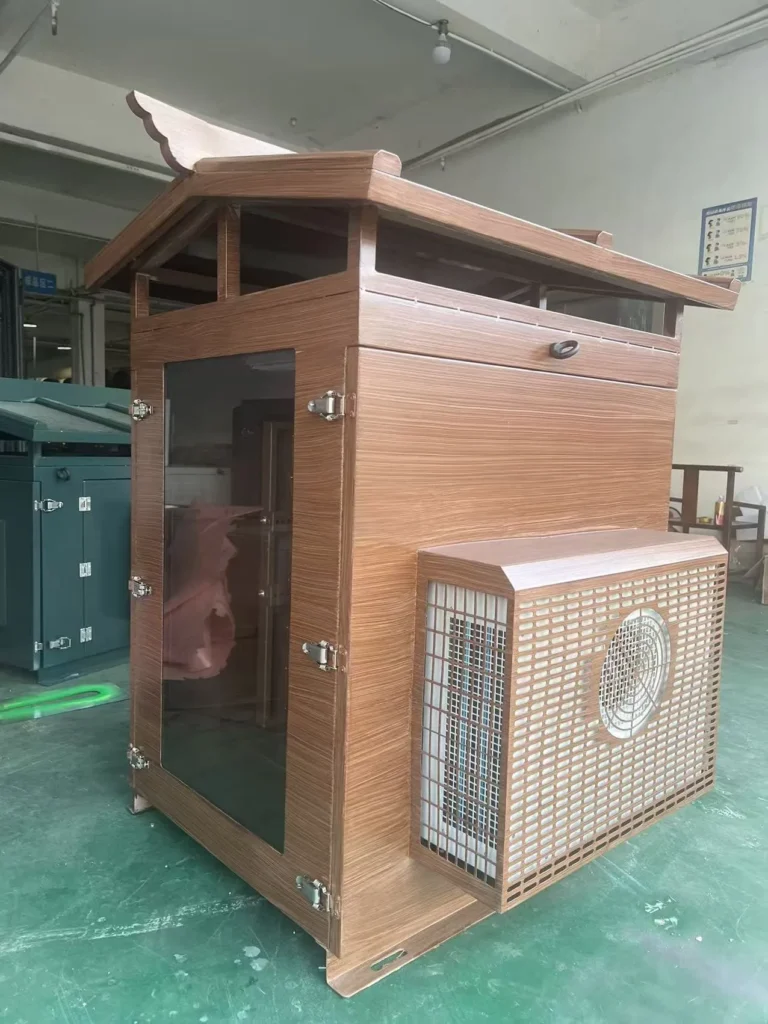
Planning a Maintenance Schedule
A projector enclosure maintenance schedule should use three categories instead of forcing the same interval on every component.
- Daily or routine status inspection Suitable for operators or facility staff during normal site rounds. Check whether the enclosure is physically closed, vents are blocked, alarms are active, abnormal noise is present, visible water marks exist, or the projected image appears hazy.
- Planned preventive maintenance Suitable for trained technicians. Inspect filters, seals, locks, fasteners, cable entries, vents, fans, optical windows, cooling-unit status, and drainage parts where fitted. Frequency should consider operating hours, site dust, season, climate, projector duty cycle, and previous service findings.
- Additional inspection after abnormal events Required after storms, flooding, high winds, construction dust, pest activity, impact, unauthorized access, repeated cooling alarms, image degradation, or enclosure relocation. The goal is to identify new damage or changed site conditions before normal operation continues.
Buying and service-planning factors include:
- Filter specification Confirm size, material, part number, airflow direction, cleaning method, and whether replacement is required after contamination.
- Seal compatibility Door gaskets and cable-entry seals should match the enclosure design. Do not substitute random foam or adhesive strips without manufacturer confirmation.
- Cooling service capability Fan replacement, air-conditioner electrical inspection, and refrigeration work may require different personnel and tools.
- Record requirements Multi-site operators should standardize photo naming, equipment IDs, checklists, and follow-up status.
- Spare parts strategy Keep approved consumables available for critical sites, but avoid stockpiling parts without confirming compatibility and shelf-life considerations.
ShiRui Pro Tip: I recommend building the first maintenance schedule from observation, then adjusting it after two or three recorded visits. Real site dust, weather, and runtime history are more useful than a generic calendar rule.
Maintenance Record Template
A maintenance record template helps technicians document what was inspected, what was found, what was cleaned or replaced, and how the system was verified afterward. The following table is a blank template for field use, not ShiRui completed project test data or evidence of measured performance results.
Copy-and-Fill Service Log
Based on our internal data and market analysis, here is the breakdown:
| Field | Entry |
|---|---|
| Inspection date | |
| Equipment ID | |
| Enclosure model / configuration | |
| Projector model | |
| Installation environment | |
| Approximate operating hours | |
| Cooling type | Fan-cooled / Air-conditioned / Hybrid / Other |
| Checked component | |
| Abnormal description | |
| Photo number / file name | |
| Action taken | |
| Cleaning method used | |
| Replacement part used | |
| N/A items confirmed | |
| Cooling system status after maintenance | |
| Alarm status after maintenance | |
| Temperature / humidity measurement condition, if used | Sensor position, operating mode, ambient condition, measurement time |
| Recheck result | |
| Responsible person | |
| Next inspection arrangement | |
| Manufacturer follow-up required | Yes / No; details |
For before-and-after comparisons, record the projector operating mode, ambient condition, sensor location, and measurement time. If those conditions are not comparable, do not conclude that maintenance produced a specific temperature change or performance improvement.
ShiRui Pro Tip: I treat incomplete records as unfinished maintenance. If the next technician cannot understand what was checked, what was replaced, and what remains unresolved, the site history is not reliable.
FAQ
The most common questions about outdoor projector enclosure maintenance involve inspection frequency, filter reuse, seal replacement, and post-maintenance checks. The safest answers depend on the actual enclosure, projector, cooling system, site exposure, and manufacturer documentation, so technicians should avoid universal assumptions.
Short Answers for Maintenance Teams
How often should an outdoor projector enclosure be inspected?
Use three levels: routine visual inspection, planned preventive maintenance, and additional checks after abnormal events. The schedule should reflect manuals, operating hours, dust level, weather exposure, climate, and historical records.
Can projector enclosure filters be washed or reused?
Only if the specific filter documentation says washing or reuse is allowed. Some filters are disposable, some tolerate dry cleaning, and some may be damaged by water or compressed air.
When should enclosure door seals be replaced?
Replace or repair them when they show cuts, missing sections, loose adhesion, severe compression set, hardening, visible gaps, or repeated water/dust trace concerns. Confirm the correct replacement method with ShiRui or the enclosure manufacturer.
What should be checked after maintenance?
Confirm filters are seated, doors and locks close correctly, cables are not pinched, vents are clear, cooling equipment operates normally, alarms are resolved or recorded, and any measured temperature or humidity is documented with test conditions.
ShiRui Pro Tip: If a technician is unsure whether a filter, gasket, cable gland, or cooling component is serviceable on site, I prefer they stop and confirm first. Guesswork can turn a maintenance visit into a repair problem.
Conclusion
Effective outdoor projector enclosure maintenance is a documented preventive process focused on filters, seals, cooling systems, cable entries, optical windows, and configuration-specific drainage parts. The most reliable results come from safe preparation, careful inspection, approved cleaning or replacement, post-maintenance verification, and accurate records for future service decisions.
Practical Next Step for Your Project
For AV integrators, outdoor projection operators, facility managers, and after-sales service teams, the best maintenance plan should match the actual installation rather than a generic checklist. A ShiRui enclosure used in a dusty public plaza, a humid coastal site, a projection mapping tower, or a protected semi-outdoor location may require different inspection emphasis.
When preparing a maintenance request, provide:
- Projector brand and model
- Enclosure model or photos of the enclosure
- Cooling configuration: fan-cooled, air-conditioned, hybrid, or unknown
- Installation environment and access conditions
- Photos of filters, vents, door seals, cable entries, cooling unit, and optical window
- Alarm history or symptoms, if any
- Previous maintenance records, if available
ShiRui can review the configuration and help discuss suitable maintenance requirements, replacement-part considerations, and inspection priorities without making unsupported performance guarantees.
ShiRui Pro Tip: The most useful request is not “How often should we clean it?” but “Here are our projector, enclosure, site condition, runtime, and photos—what should our maintenance checklist include?” That gives us the information needed to make practical recommendations.