Remote monitoring turns an outdoor projector enclosure from a passive weather box into an actively supervised protection system. For AV integrators, projection-mapping teams, night-tour operators, theme parks, and facility managers, the goal is to observe enclosure conditions, receive alarms, and separate environmental risks from projector network status through Wi-Fi, Ethernet, or 4G connectivity where available.
What is outdoor projector enclosure remote monitoring?
Outdoor projector enclosure remote monitoring is the use of sensors, controllers, alarms, and network communication to supervise the operating environment inside and around a projector enclosure. It tracks temperature, humidity, leakage, smoke, door status, power, fan, heater, and air-conditioner operation, while projector network monitoring may separately use PJLink or manufacturer protocols.
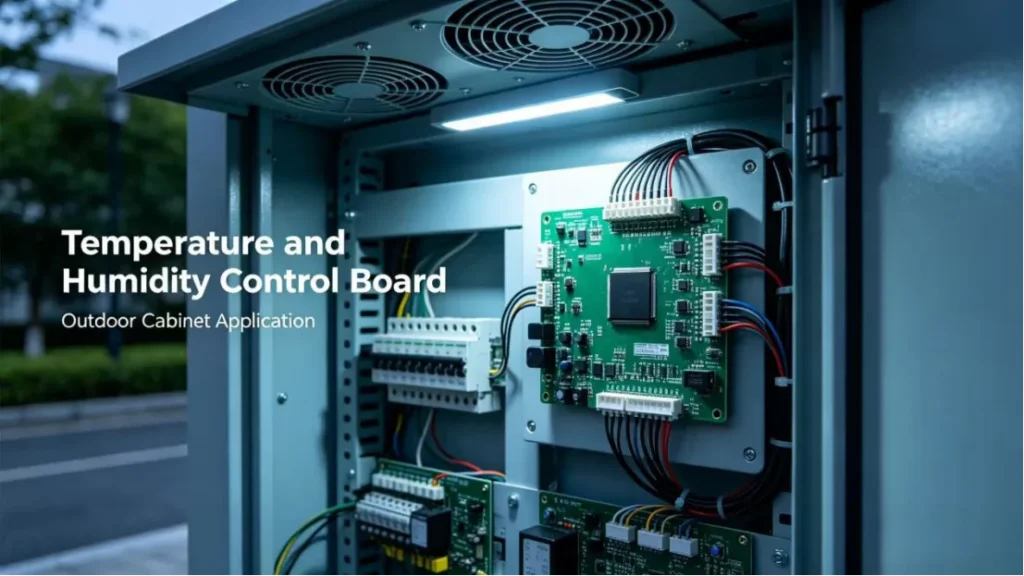
Environmental Monitoring vs Projector Monitoring
Remote monitoring for projector enclosures should be understood as two connected but different systems: enclosure environmental monitoring and projector network monitoring. The enclosure system protects the physical operating environment; the projector monitoring system reads or controls projector functions when the projector supports network communication.
Based on our internal data and market analysis, here is the breakdown:
| Monitoring Layer | What It Measures or Controls | Typical Data Source | Main Purpose |
|---|---|---|---|
| Enclosure environmental monitoring | Internal temperature, external temperature, humidity, dew-point risk, water leakage, smoke, door status, mains power, fan status, AC status, heater status | Sensors, relays, controller inputs, current detection, dry contacts | Protect the projector from environmental and electrical risk |
| Projector network monitoring | Power state, lamp/laser status, input source, error codes, usage hours, temperature values where supported | PJLink, manufacturer API, web interface, SNMP where supported | Observe or control projector operation |
| Alarm system | Warning thresholds, critical thresholds, communication loss, abnormal equipment state | Controller logic and cloud/app rules | Notify maintenance teams before or when intervention is required |
| Connectivity layer | Wi-Fi, Ethernet, or 4G | Router, gateway, IoT module, industrial controller | Transmit data and alarms to users or dashboards |
A smart outdoor projector enclosure from ShiRui can be configured around the project environment, enclosure type, thermal load, and available network. However, alarm thresholds must always follow the projector manufacturer’s operating specifications, enclosure cooling design, and site climate conditions.
Relative humidity alone is not enough for condensation evaluation. A humidity reading of 70% may be acceptable at one temperature and risky at another. For projector enclosure temperature and humidity monitoring, dew point or dew-point margin should be calculated when internal air temperature, relative humidity, and relevant surface-temperature data are available.
ShiRui Pro Tip: I always separate “projector fault” from “enclosure environmental fault” during system design. If the projector shuts down, we need to know whether the root cause was projector electronics, enclosure temperature, moisture risk, power interruption, blocked airflow, or communication failure.
How Does outdoor projector enclosure remote monitoring Work?
Outdoor projector enclosure remote monitoring works by collecting sensor signals, comparing them with configured thresholds, and sending status or alarms through Wi-Fi, Ethernet, or 4G. The controller can monitor environmental conditions and equipment states, while supported projectors can be checked separately through PJLink or the manufacturer’s protocol.
Signal Flow and Control Logic
A complete IoT projector enclosure monitoring system usually follows a layered workflow: sensing, control, communication, alerting, and maintenance response. The controller does not replace proper enclosure design; it provides visibility into whether the enclosure is operating within the intended thermal, humidity, and electrical conditions.
A typical workflow includes:
- Sensor collection
Temperature, humidity, leakage, smoke, door, mains power, fan, AC, and heater status are collected from sensors or input terminals. - Threshold comparison
The controller compares readings against warning and critical thresholds. Where supported, hysteresis is used to avoid rapid on/off cycling. - Local equipment control
Fans, heaters, or air-conditioning components may be switched based on control logic. In applicable ShiRui controller configurations, fan cooling can be configured around a 35°C set point with approximately 2°C hysteresis. Final values must be confirmed against projector specifications, enclosure design, airflow, solar load, and local climate. - Network transmission
Data is sent through Ethernet, Wi-Fi projector enclosure monitoring, or 4G projector enclosure monitoring depending on site infrastructure. - Alarm delivery
Alerts may be sent through an app, SMS, email, or cloud dashboard when these functions are included in the selected controller and service plan. - Projector protocol monitoring
If the projector supports PJLink or a manufacturer network protocol, projector status can be read separately from enclosure sensor data.
Based on our internal data and market analysis, here is the breakdown:
| Function | Enclosure Controller Role | Projector Network Role |
|---|---|---|
| Internal temperature alarm | Yes | Sometimes available from projector, but not enclosure air |
| External temperature reference | Yes, with external sensor | No |
| Relative humidity alarm | Yes | Usually no |
| Dew-point evaluation | Yes, if required measurements are available | No |
| Water leak alarm | Yes | No |
| Smoke alarm | Yes | No |
| Door-open alarm | Yes | No |
| Fan/AC/heater status | Yes | No |
| Projector power on/off | Sometimes through relay or protocol design | Yes, if PJLink/API supports it |
| Projector error code | No, unless integrated with protocol | Yes, if supported |
For engineering reliability, enclosure alarms and PJLink projector monitoring should be displayed as separate status categories. This helps maintenance teams avoid misdiagnosis and makes event timelines easier to review.
ShiRui Pro Tip: I recommend testing alarm logic before the enclosure is installed at height. Simulate door opening, fan stop, water leak input, communication loss, and over-temperature conditions in the workshop so the field team knows every alarm path works before commissioning.
What are the benefits of outdoor projector enclosure remote monitoring?
The main benefit of outdoor projector enclosure remote monitoring is visibility. Teams can see enclosure temperature, humidity, leakage, smoke, power, and equipment status without opening the enclosure on site. This supports faster diagnosis, better maintenance planning, and clearer evidence when troubleshooting outdoor projection systems in demanding environments.
Operational Benefits for Outdoor Projection Projects
Remote monitoring is especially valuable where projectors are mounted on rooftops, towers, façades, truss structures, scenic routes, islands, amusement areas, or other locations where manual inspection is expensive, inconvenient, or unsafe.
Key benefits include:
- Early environmental warning
Temperature, humidity, dew-point risk, smoke, and water leakage alarms help teams respond before conditions become more severe. - Reduced uncertainty during faults
When a projector stops displaying, the team can review enclosure temperature, mains power, fan status, AC status, heater status, and communication state. - Better commissioning records
Logged sensor data can support acceptance testing and help verify whether the enclosure design matches actual site conditions. - Support for distributed projects
Scenic night tours and building projection routes may use many projector positions. A dashboard is easier to manage than repeated manual checks. - Clearer maintenance priority
A water leak alarm, AC fault, communication alarm, and door-open alarm require different responses. Categorized alarms help dispatch the right technician. - Improved accountability
Event logs provide a record of when alarms occurred, when communication was lost, and which environmental conditions were present.
Relative humidity must be interpreted carefully. For condensation evaluation, use dew point or dew-point safety margin when the required measurements are available. A monitoring design should consider projector surface temperature, enclosure airflow, heater configuration, and site-specific temperature swings.
ShiRui Pro Tip: I prefer alarm dashboards that show trend lines, not only red warning icons. A single high-temperature reading is useful, but a rising 24-hour temperature trend tells us much more about blocked airflow, solar exposure, or cooling capacity.
How to maintain an outdoor projector enclosure remote monitoring system?
Maintaining outdoor projector enclosure remote monitoring requires periodic sensor checks, alarm testing, cable inspection, network verification, firmware review, and cleaning of airflow paths. The system should be treated as part of the enclosure’s protection function, not as an optional accessory installed once and forgotten.
Maintenance Procedure for Sensors, Alarms, and Connectivity
Maintenance should be scheduled around the site risk level, projector value, installation height, operating season, and climate. For coastal, humid, dusty, hot, or public-access locations, inspection frequency should be more conservative.
A practical maintenance checklist includes:
- Verify sensor readings
Compare temperature and humidity readings against a calibrated reference instrument where required by project specifications. - Inspect sensor locations
Ensure the internal temperature sensor is not touching hot projector exhaust directly unless that is the intended measurement point. Confirm leak sensors remain at the lowest practical water-collection area. - Test alarm inputs
Trigger door, water leakage, smoke, power, fan, AC, and heater alarms according to safe test procedures. - Review thresholds
Confirm warning and critical thresholds still match projector manufacturer specifications, seasonal climate, and enclosure configuration. - Check hysteresis settings
Where fan or heater control uses hysteresis, confirm the setting prevents short cycling and does not conflict with projector operating limits. - Inspect communication quality
Review Wi-Fi signal strength, Ethernet stability, SIM status, 4G signal level, and reconnection behavior after a controlled outage where permitted. - Clean thermal paths
Inspect filters, vents, ducts, fan guards, condensate drains, and AC condenser areas according to enclosure design. - Review alarm history
Check repeated warnings, communication dropouts, and any false alarms before the next event season. - Document calibration and changes
Record sensor model, stated accuracy, installation position, calibration date, threshold changes, and firmware updates.
Based on our internal data and market analysis, here is the breakdown:
| Maintenance Item | Why It Matters | Recommended Evidence |
|---|---|---|
| Temperature sensor check | Prevents misleading thermal alarms | Reference reading and date |
| Humidity sensor check | Supports condensation assessment | Reference RH reading and date |
| Leak sensor test | Confirms water alarm path | Test result and sensor location |
| Smoke alarm test | Confirms safety alert input | Test result and alarm channel |
| Door switch test | Detects unauthorized or accidental access | Open/close event log |
| Fan/AC/heater status check | Confirms thermal control equipment feedback | Controller status log |
| Network reconnection test | Confirms Wi-Fi, Ethernet, or 4G recovery | Outage and recovery record |
| Alarm channel test | Confirms app, SMS, email, or dashboard delivery | Timestamped alert record |
ShiRui Pro Tip: I recommend photographing sensor positions during commissioning. Six months later, when a technician asks whether a humidity sensor was installed near the intake, exhaust, or cable entry area, a simple photo can prevent a long troubleshooting call.
What is the price of outdoor projector enclosure remote monitoring?
The price of outdoor projector enclosure remote monitoring depends on the enclosure size, projector heat load, required sensors, control functions, connectivity method, alarm channels, dashboard requirements, and project quantity. A simple local alarm design costs less than a cloud-connected system with Wi-Fi, 4G backup, environmental logging, and protocol integration.
Cost Drivers and Quotation Scope
ShiRui pricing should be quoted according to verified project requirements rather than a generic package label. Outdoor projector enclosure remote monitoring can range from basic sensor alarm functions to a more complete smart outdoor projector enclosure platform with data logging, cloud dashboard access, and projector protocol integration where supported.
Based on our internal data and market analysis, here is the breakdown:
| Cost Factor | Lower-Cost Configuration | Higher-Spec Configuration |
|---|---|---|
| Sensor scope | Temperature only or temperature plus humidity | Temperature, humidity, leak, smoke, door, power, fan, AC, heater |
| Connectivity | Local display or Ethernet | Wi-Fi plus 4G, cloud dashboard, remote alarm channels |
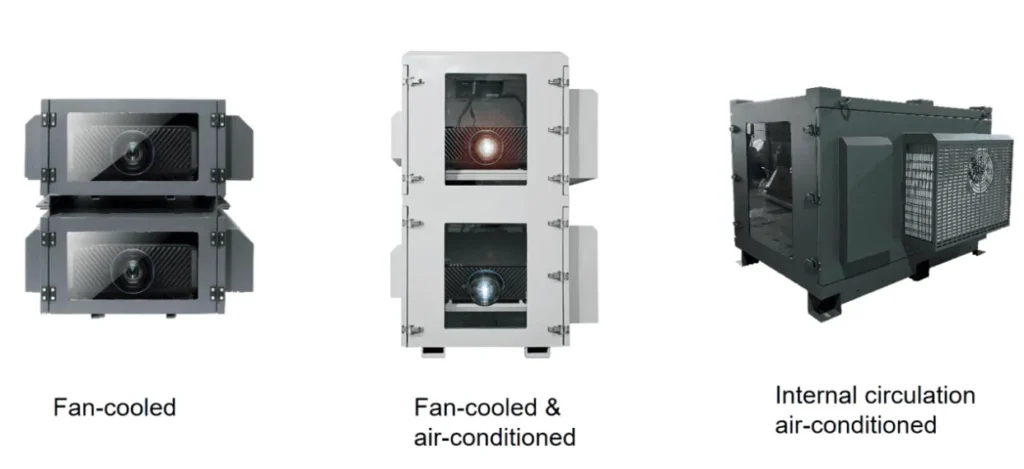
| Enclosure cooling type | Fresh-air cooling | Fresh-air plus AC or sealed internal-circulation AC |
| Projector integration | No projector protocol | PJLink or manufacturer protocol integration where supported |
| Data logging | Basic status display | Historical trends, alarm timeline, exportable records |
| Alarm delivery | Local buzzer or simple relay | App, SMS, email, dashboard notifications where supported |
| Installation complexity | Accessible indoor-like mounting | Rooftop, pole, façade, coastal, high-humidity, or remote scenic site |
| Quantity | Single enclosure | Multi-position project with centralized monitoring |
A professional quotation should define whether the price includes hardware only, sensor wiring, controller programming, SIM/data service, cloud platform access, installation, commissioning, calibration, documentation, and after-sales support. For 4G projector enclosure monitoring, recurring SIM or data-platform costs may apply depending on the selected service model.
ShiRui Pro Tip: I do not quote monitoring only from projector brightness. Two projectors with the same lumen rating can have different power consumption, exhaust direction, chassis size, network protocol support, and thermal behavior. Power consumption and site climate are more useful starting points.
Key Features & Comparison
A reliable projector enclosure alarm system should monitor both environmental risk and equipment status. Important features include internal and external temperature, relative humidity, dew-point evaluation, water leakage, smoke, door status, power, fan, AC, heater, communication state, and optional PJLink projector monitoring where supported by the projector.
Feature Matrix and Connectivity Comparison
A ShiRui monitoring design should be specified from project requirements, not from assumptions. The table below separates required enclosure environmental monitoring from optional projector network monitoring and communication choices.
Based on our internal data and market analysis, here is the breakdown:
| Feature | Basic Monitoring | Engineering Monitoring | Advanced Smart Enclosure Monitoring |
|---|---|---|---|
| Internal temperature | Yes | Yes | Yes |
| External temperature | Optional | Yes | Yes |
| Relative humidity | Optional | Yes | Yes |
| Dew-point or margin calculation | No | Where required data is available | Where required data is available |
| Water leak alarm | Optional | Yes | Yes |
| Smoke alarm | Optional | Yes | Yes |
| Door status | Optional | Yes | Yes |
| Mains power status | Optional | Yes | Yes |
| Fan status | Optional | Yes | Yes |
| AC status | No | Optional | Yes |
| Heater status | No | Optional | Yes |
| Local alarm output | Yes | Yes | Yes |
| Remote dashboard | No | Optional | Yes |
| Wi-Fi monitoring | Optional | Optional | Yes |
| Ethernet monitoring | Optional | Yes | Yes |
| 4G monitoring | Optional | Optional | Yes |
| PJLink projector monitoring | No | Optional where supported | Optional where supported |
| Alarm history | Limited | Optional | Yes |
| 24-hour trend chart | No | Optional | Yes |
| 30-day alarm timeline | No | Optional | Yes |
Based on our internal data and market analysis, here is the breakdown:
| Comparison Item | Wi-Fi Projector Enclosure Monitoring | 4G Projector Enclosure Monitoring |
|---|---|---|
| Installation requirements | Requires nearby Wi-Fi network, SSID, password, and stable signal at enclosure position | Requires SIM/data plan, 4G signal coverage, antenna placement, and carrier compatibility |
| Network dependency | Depends on site router, LAN policy, and Wi-Fi stability | Depends on mobile carrier coverage and SIM status |
| Coverage | Good for campuses, theme parks, buildings, and venues with managed Wi-Fi | Useful for remote scenic routes, temporary events, rooftops, and locations without LAN access |
| Outage recovery | Depends on router recovery and DHCP/network policy | Depends on module reconnection, carrier network, and signal condition |
| Signal monitoring | Wi-Fi RSSI or router diagnostics where available | Cellular signal strength and SIM/network status where available |
| Data usage | Usually not billed separately on local network | Data usage may create recurring cost |
| Recurring cost | Usually none beyond existing network | SIM and data service may apply |
| Security configuration | Requires Wi-Fi credential management and possible VLAN/firewall rules | Requires SIM management, APN configuration, and cloud access policy |
| Suitable scenarios | Permanent venues with reliable IT infrastructure | Distributed outdoor sites, scenic night tours, temporary installations, or locations without wired network |
For engineering documentation, real project evidence should include:
- Dashboard screenshot from the actual ShiRui monitoring platform or approved project dashboard
- Sensor-location diagram showing internal sensor, external sensor, leak detector, smoke input, door switch, power feedback, fan feedback, AC feedback, and heater feedback
- 24-hour temperature and humidity chart exported from actual project logs
- 30-day alarm-event timeline exported from the real monitoring system
- Calibration records for each sensor model and measurement location
Because no verified ShiRui project screenshots, charts, or field logs were supplied in this brief, illustrative or stock visuals should not be presented as real evidence. For publication, replace this documentation list with first-party approved images and exported project data.
ShiRui Pro Tip: I advise integrators to request the monitoring point list before cabinet production. Adding a door switch, leak sensor, AC feedback, or 4G antenna is much easier when cable routing, terminals, and service access are designed into the enclosure from the beginning.
Cost & Buying Factors
Buying outdoor projector enclosure remote monitoring should start with the projector model, power consumption, site climate, enclosure cooling method, alarm requirements, and network availability. The correct system is the one that measures the real project risks and sends usable alerts to the people responsible for operation and maintenance.
Specification Factors Before Purchase
The best buying decision depends on engineering inputs. A projector enclosure used in a dry urban plaza does not need the same monitoring plan as a coastal scenic night-tour installation exposed to salt air, high humidity, and remote access constraints.
Before requesting a ShiRui quotation, define:
- Projector data
Brand, model, brightness, power consumption, exhaust direction, operating temperature range, humidity range, and network protocol support. - Application type
Building projection, scenic night tour, water-screen projection, theme park, commercial display, cultural tourism route, or temporary event. - Climate and installation location
Ambient minimum and maximum temperature, humidity range, rainfall exposure, dust level, salt-air exposure, solar radiation, wind, and altitude if relevant. - Enclosure cooling design
Fresh-air cooling, fresh-air plus AC, or sealed internal-circulation AC. - Sensor requirements
Temperature, humidity, water leakage, smoke, door status, mains power, fan status, AC status, heater status, and communication status. - Alarm logic
Warning thresholds, critical thresholds, hysteresis, alarm delay, reset method, and escalation process. - Connectivity method
Ethernet, Wi-Fi, 4G, or combined design depending on site network access and reliability requirements. - Dashboard and records
Real-time status, alarm history, trend charts, exportable data, user permissions, and maintenance records. - Projector protocol control
PJLink or manufacturer network protocol integration only where the projector supports it and project cybersecurity policy allows it. - Service access
Mounting height, lifting equipment, technician access route, enclosure door clearance, cable entry, and maintenance schedule.
Based on our internal data and market analysis, here is the breakdown:
| Buying Question | Why It Affects the Monitoring Design |
|---|---|
| What projector model is used? | Determines heat load, protocol support, and operating limits |
| What is the projector power consumption? | Helps size cooling and understand thermal risk |
| Is the enclosure fresh-air or sealed AC? | Determines which sensors and status inputs are critical |
| Is Wi-Fi available at the mounting point? | Determines whether Wi-Fi is practical or 4G is needed |
| Is there a requirement for SMS or email? | Affects controller, gateway, and service configuration |
| Is dew-point monitoring required? | Requires enough measurements for meaningful condensation assessment |
| Are there multiple projector positions? | May require centralized dashboard and alarm grouping |
| Is the site public or restricted access? | Door status and tamper alarms may be important |
| Is remote projector control required? | Requires PJLink or manufacturer protocol support |
| Are verified records required for acceptance? | Requires data logging, charts, timelines, and calibration documentation |
A first-party project case study should only be published when verified field records are available. For a complete evidence-led case study, ShiRui should document the application, country or climate, installation date, test period, projector brand and model, brightness, power consumption, enclosure type, material, mounting method, connectivity, sensor models, stated accuracy, installation position, calibration date, sampling interval, monitoring duration, thresholds, hysteresis, alert channels, ambient range, enclosure range, humidity, dew point where calculable, alarm counts, alert-delivery records, reconnection records, false alarms, and service records where applicable.
ShiRui Pro Tip: I always ask for the site network plan early. Many monitoring delays are not caused by sensors; they are caused by missing Wi-Fi credentials, weak signal at the enclosure, blocked firewall ports, unavailable SIM cards, or unclear responsibility between AV and IT teams.
Conclusion
Outdoor projector enclosure remote monitoring is most effective when it is engineered around real environmental risks, projector specifications, cooling design, and network conditions. A good system separates enclosure sensor alarms from projector protocol monitoring, records useful evidence, and gives operators clear actions when temperature, humidity, leakage, smoke, power, or communication issues occur.
Specification Checklist for Your Project
For AV integrators and facility teams, the next step is to define the monitoring scope before ordering the enclosure. This prevents missing sensors, undersized connectivity, unclear alarm logic, or dashboard functions that do not match site operations.
Use this checklist when contacting ShiRui:
- Projector brand and model
- Projector brightness and power consumption
- Projector operating temperature and humidity limits
- PJLink or manufacturer protocol support, if remote projector monitoring is required
- Project application: building projection, scenic night tour, water-screen projection, theme park, or commercial display
- Installation country, city, or climate description
- Local ambient temperature range
- Local relative humidity range
- Rain, dust, salt-air, snow, or high-solar-load exposure
- Enclosure type: fresh-air cooling, fresh-air plus AC, or sealed internal-circulation AC
- Enclosure material and mounting method
- Required sensors: temperature, humidity, water leakage, smoke, door, mains power, fan, AC, heater
- Required dew-point or condensation-risk evaluation
- Required alarm thresholds and hysteresis logic
- Preferred alert channels: app, SMS, email, dashboard, relay output, or local alarm
- Network availability: Ethernet, Wi-Fi, 4G, or no available network
- Dashboard requirements: real-time data, alarm history, charts, exports, user roles
- Maintenance access conditions and inspection schedule
- Any required factory-test records, calibration records, or field acceptance reports
To specify a ShiRui smart outdoor projector enclosure with remote monitoring, provide the projector model, power consumption, installation location, local temperature and humidity range, mounting method, network availability, and required alarm functions. ShiRui can then recommend the appropriate sensor set, alarm logic, cooling configuration, and Wi-Fi or 4G monitoring approach.
ShiRui Pro Tip: Send us the projector datasheet and site climate information first. With those two documents, we can make much better decisions about cooling type, sensor positions, threshold settings, and whether Wi-Fi, Ethernet, or 4G is the right monitoring path.