
A projector usually overheats inside an enclosure because the enclosure is not removing heat as quickly as the projector, power supplies, media players, filters, solar exposure, and other internal equipment generate or trap it. The cause may be blocked intake, restricted exhaust, hot-air recirculation, dirty filters, fan failure, undersized air conditioning, poor sensor placement, incorrect orientation, altitude settings, or site conditions.
Video Guide: ShiRui’s “Smoke Test outdoor enclosure for projector” qualitatively visualizes airflow direction inside an outdoor projector enclosure, helping reveal intake/exhaust paths, stagnant zones, short-circuit airflow, hot-air recirculation, bypass leakage, and unintended openings; it does not measure CFM, static pressure, cooling capacity, air velocity, temperature reduction, service-life improvement, or standards compliance.
Before testing, follow the exact projector manufacturer manual. Allow the projector to complete its normal shutdown and cooling cycle. Stop operation if temperature warnings or thermal shutdowns repeat. Do not block vents while testing, bypass alarms, remove protective covers, or repair internal electronics or refrigeration circuits unless authorized and qualified. If overheating continues after external airflow and filter checks, contact the projector manufacturer, ShiRui, or an authorized technician.
What is projector enclosure overheating?
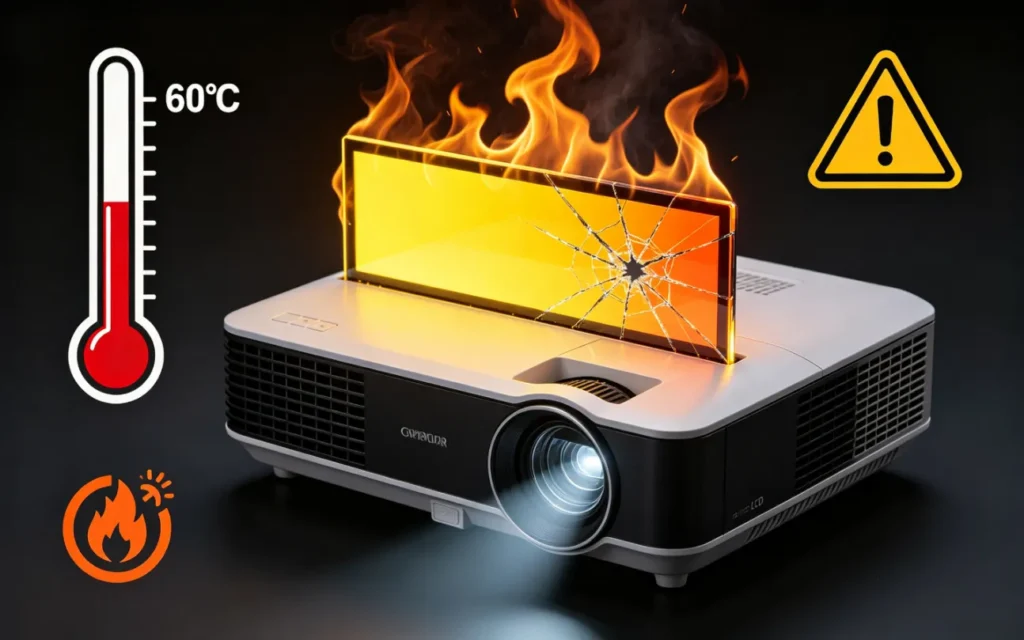
Projector enclosure overheating is a condition where the projector’s intake air, internal components, or surrounding enclosure air exceed the projector’s safe operating limits after installation. It often appears as a projector temperature warning, fan speed surge, protective dimming, thermal shutdown, or unstable operation, but the projector manual and diagnostic logs should confirm the fault.
Symptoms, Causes, and First Checks
Projector overheating inside enclosure applications should be investigated as a chain: symptom → likely cause → inspection method → corrective action. A cabinet may physically fit the projector while still failing thermally. The issue is not simply “airflow direction”; it is whether the full enclosure system removes heat under real site conditions.
Common warning signs include:
- Temperature warning light or error code
- Automatic projector thermal shutdown
- Reduced light output or protective operating mode
- Fans running unusually fast
- Image instability after prolonged operation
- Enclosure temperature continuing to rise
- Air conditioner running continuously
- Very hot air around the projector intake
- One projector overheating before another in a dual enclosure
- Repeated shutdown during the hottest part of the day
Based on our internal data and market analysis, here is the breakdown:
| Observed Symptom | Likely Cause | What to Check First | Possible Corrective Action |
|---|---|---|---|
| Overheats only with door closed | Enclosure airflow restriction | Intake, exhaust, filters, louvers | Restore intake/exhaust path |
| Overheats after several hours | Heat accumulation | Temperature trend over runtime | Increase heat rejection or redesign airflow |
| Overheats only in daytime sun | Solar load and high ambient | Sun exposure, cabinet surface temperature | Add shading or reassess cooling capacity |
| Overheats after new filter | Restrictive or incorrect filter | Filter type, direction, surface area | Use correct filter and increase filter area |
| Upper projector overheats | Rising exhaust from lower projector | Intake temperature at upper unit | Separate cooling zones or add baffles |
| Sensor looks normal but projector alarms | Sensor in wrong location | Projector intake temperature | Relocate/add sensors |
| AC runs continuously but temperature rises | Undersized or malfunctioning AC | Supply/return path, condenser, settings | Qualified AC service or redesign |
| Fan runs but little air reaches intake | High static resistance or bypass | Louvers, ducts, fan direction | Select fan for installed resistance |
ShiRui Pro Tip: I always ask for the projector’s diagnostic code and intake-air temperature before judging the enclosure. A normal cabinet-center temperature can hide a hot intake pocket directly at the projector.
How Does projector enclosure overheating Work?
Projector enclosure overheating works by trapping heat, restricting the projector’s designed cooling path, or allowing hot exhaust to return to the intake. Even when fans are operating, filters, louvers, ducts, baffles, sunlight, altitude, and poor supply/return placement can make installed airflow very different from the fan’s free-air rating.
Heat Path Failure Inside the Cabinet
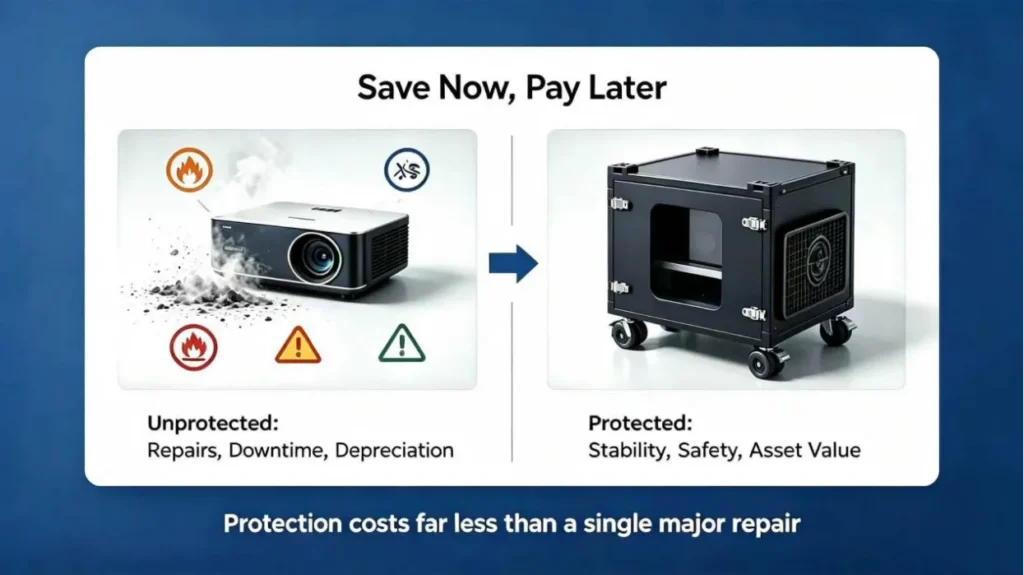
Every projector has a manufacturer-designed cooling path. Its exact intake and exhaust locations must come from the official manual or technical drawing, not from assumptions. An enclosure can create overheating by blocking that path with a wall, bracket, shelf, cable bundle, acoustic material, filter frame, optical-window frame, another projector, power supply, or control box.
Hot-air recirculation is especially common. It occurs when projector exhaust returns to the same projector intake or enters another projector’s intake. Causes include poor separation between inlet and outlet, fans installed on the wrong side, no internal baffle, exhaust facing a wall, hot air trapped behind the projector, lower-projector exhaust rising toward an upper projector, or air-conditioning return air failing to capture exhaust.
For airflow fundamentals, see How Projector Airflow Direction Affects Enclosure Design.
A useful inspection sequence is:
- Confirm the projector’s official intake and exhaust locations.
- Inspect whether any cabinet element blocks those openings.
- Check whether enclosure inlet air reaches the projector intake.
- Check whether projector exhaust exits the enclosure without returning.
- Use a smoke-path test to visualize direction, not to certify thermal performance.
- Measure outdoor ambient, enclosure inlet, projector intake, projector exhaust, and enclosure outlet temperatures.
- Compare results with projector manual limits and diagnostic logs.
Dirty or restrictive filters can also trigger projector thermal shutdown. Separate the projector internal air filter, enclosure intake filter, air-conditioner filter, protective mesh, and insect screen. Dust, insects, pollen, fine sand, salt residue, small filter area, filter pressure loss, backward installation, and poor maintenance access can all reduce real airflow.
ShiRui Pro Tip: More fans do not automatically solve recirculation. If the airflow path is wrong, extra fans may simply move hot exhaust around the same enclosure faster.
How to fix overheating projector?
Fixing an overheating projector starts with controlled diagnosis, not random fan upgrades. Record the model, alarm code, runtime, site temperature, and operating mode; then inspect filters, vents, fan direction, air paths, solar exposure, AC performance, sensor placement, and multi-projector interactions before modifying the enclosure.
Diagnostic Procedure and Corrective Actions
Use a structured test so the same failure can be repeated, observed, and corrected safely.
- Record projector brand, exact model, lens, alarm code, operating mode, runtime, ambient temperature, and time of failure.
- Allow the projector to complete its normal shutdown and cooling cycle.
- Check the projector manual for intake locations, exhaust locations, clearances, temperature range, altitude requirements, and filter instructions.
- Inspect projector filters, enclosure filters, louvers, ducts, mesh, and insect screens.
- Confirm fan direction and verify air actually reaches the projector intake.
- Perform a qualitative smoke-path test without blocking vents or exposing equipment to unsafe materials.
- Record temperatures at outdoor ambient, enclosure inlet, projector intake, projector exhaust, and enclosure outlet.
- Check for direct solar exposure and external hot-air recirculation.
- Inspect AC supply and return paths where applicable.
- Evaluate each projector separately in dual or multi-projector installations.
- Check temperature-sensor placement and controller operation.
- Contact the projector or enclosure manufacturer if overheating continues.
Based on our internal data and market analysis, here is the breakdown:
| Cause Category | Inspection Method | Corrective Action |
|---|---|---|
| Blocked projector vent | Visual check against manual drawing | Reposition shelf, cable, bracket, or component |
| Hot-air recirculation | Smoke-path test and intake temperature log | Add baffles or separate intake/exhaust zones |
| Restrictive filter | Compare installed filter to specified type | Replace correct filter or increase filter area |
| Incorrect fan placement | Confirm direction under installed conditions | Reverse, relocate, or reselect fan |
| Solar heat | Observe cabinet during peak sun | Add shading or reassess cooling architecture |
| AC short-circuiting | Compare supply and return air locations | Redesign supply/return path |
| Wrong sensor location | Measure at projector intake | Relocate sensor or add monitoring points |
| Multi-projector heat stacking | Test each projector intake separately | Separate cooling zones and exhaust paths |
Corrective action may include restoring the projector’s designed airflow path, redesigning baffles, increasing filter area, replacing incorrect filters, selecting fans based on installed resistance, adding external sun protection where structurally appropriate, recalculating cooling capacity, redesigning AC supply and return paths, separating projector cooling zones, relocating sensors, or reviewing enclosure size and service clearances.
Do not permanently remove filters, enlarge holes, or drill new openings without review. Field modifications can affect water and dust protection, including documented ingress protection.
ShiRui Pro Tip: I prefer fixing airflow geometry before increasing fan power. When intake and exhaust are separated correctly, the cooling system becomes easier to size and easier to maintain.
What’s the average lifespan of a projector?
Projector lifespan depends on the exact projector model, light source, operating mode, maintenance quality, thermal environment, dust exposure, humidity, and shutdown discipline. Enclosure overheating can shorten usable service life, but it is not accurate to promise a universal lifespan improvement from any enclosure or cooling upgrade.
Thermal Stress and Service Risk
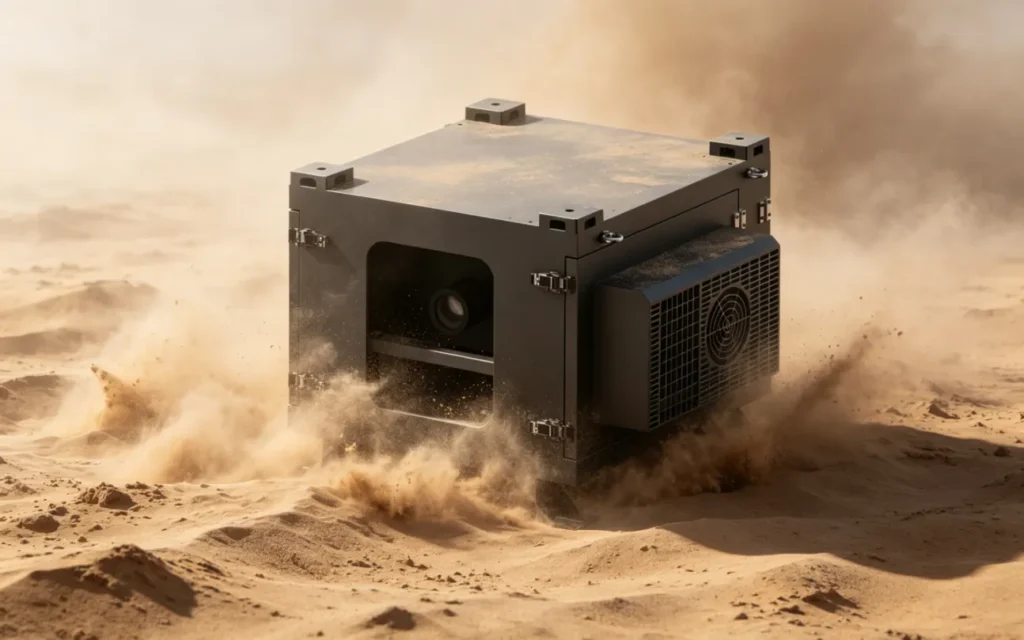
A projector’s expected service life is defined by the manufacturer’s design, not by lumen rating alone. Heat affects light-source performance, electronic reliability, filter loading, fan workload, optical stability, and shutdown frequency. Repeated projector thermal shutdown is a warning that the installation should be corrected, not tolerated.
Model-specific data shows why enclosure cooling must be engineered from official specifications.
Based on our internal data and market analysis, here is the breakdown:
| Projector Example | Official Brightness | Power / Heat Data | Published Airflow / Limits |
|---|---|---|---|
| Christie D20WU-HS | 20,600 ISO lumens | 1,710 W normal mode; 5,835 BTU/hr heat dissipation | 0–40°C; 10–85% RH non-condensing |
| Barco SP4K-25C | 24,000 lumens typical | 2.2 kW; 7,750 BTU/hr at max power and 40°C | 400 CFM exhaust; max ambient 40°C |
| Barco SP4K-40B | 41,000 lumens typical | 3.7 kW; 12,500 BTU/hr at max power and 40°C | 615 CFM exhaust; max ambient 40°C |
These examples are model-specific only. They do not mean all 20K, 25K, or 40K projectors have the same heat load. Published projector exhaust airflow also does not automatically equal the enclosure fan rating, because filters, louvers, ducts, baffles, altitude, site temperature, solar load, safety margin, and layout affect the final requirement.
For enclosure sizing methods, see How to Calculate Cooling Capacity for an Outdoor Projector Enclosure and How to Size an Outdoor Projector Enclosure.
ShiRui Pro Tip: When a client asks about lifespan, I focus first on preventing repeated alarms. A projector that regularly protects itself from heat is telling you the installation environment needs attention.
Is it normal for a projector to get hot?
Yes, it is normal for a projector to produce hot exhaust, especially high-output laser or lamp models. It is not normal for the projector to repeatedly display temperature warnings, reduce output unexpectedly, run fans at abnormal speed, or shut down thermally after being installed inside an enclosure.
Normal Heat Versus Fault Condition
Projectors convert substantial electrical power into light and heat. Warm exhaust is expected. The key question is whether the projector receives intake air within its manufacturer-approved operating range and whether exhaust is removed without recirculation.
Measuring only the enclosure’s center temperature can be misleading. A projector may receive excessively hot intake air while the controller sensor reports an acceptable cabinet value elsewhere.
Based on our internal data and market analysis, here is the breakdown:
| Measurement Location | What It Reveals | What May Be Missed If It Is Not Measured |
|---|---|---|
| Outdoor ambient air | Site baseline | Solar or wall-heated intake effects |
| Enclosure air inlet | Air entering cabinet | Internal recirculation |
| Projector intake | Air the projector actually uses | Hidden hot pocket at intake |
| Projector exhaust | Heat leaving projector | Restricted exhaust or abnormal heat |
| Upper cabinet area | Heat stratification | Overheating in stacked layouts |
| Lower cabinet area | Lower-zone cooling | Exhaust rising to upper projector |
| Optical-window area | Heat near front path | Local stagnant air |
| AC supply | Cooling delivery | Short-circuit to return |
| AC return | Captured heat load | Exhaust bypassing return |
| Controller sensor | Control input | Wrong control decision if poorly placed |
Do not use universal alarm thresholds. Use the exact projector manual and diagnostic logs. Some models also have approved orientation limits, bottom intake vents, special clearance requirements, high-altitude operating modes, and altitude-related restrictions. These requirements are model-specific; do not enable or disable settings without the manufacturer’s instructions.
ShiRui Pro Tip: I treat projector intake temperature as the most important field measurement. The projector does not care what the average cabinet temperature is; it reacts to the air entering its own cooling system.
Key Features & Comparison
The right enclosure cooling architecture depends on projector model, power consumption, heat-dissipation data, airflow path, projector quantity, enclosure layout, sunlight, humidity, dust, altitude, maintenance access, and operating hours. Lumen output alone cannot determine whether fan cooling or air conditioning is required.
Cooling Architecture Evidence and Limits
Based on our internal data and market analysis, here is the breakdown:
| Cooling / Protection Factor | Fan-Cooled Enclosure | Air-Conditioned Enclosure | Engineering Note |
|---|---|---|---|
| Heat removal method | Exchanges air with outside environment | Uses active cooling and controlled air path | Both still require correct intake/exhaust separation |
| Best-fit conditions | Suitable only when heat load and site conditions allow | Used when ambient, sealing, heat load, or layout requires it | Selection must be project-specific |
| Filter sensitivity | High; filter resistance affects airflow | Also important; filters affect evaporator/condenser airflow | Do not remove filters permanently |
| Solar exposure | Can overwhelm design if unaccounted | Still adds load to AC system | Shade may help but is not a complete calculation |
| Multi-projector layouts | Requires strong zone separation | Requires supply/return planning per projector | Do not assume exactly double capacity |
| Maintenance | Filter and fan inspection critical | Filter, drainage, condenser, controller service | Refrigeration faults need qualified service |
| IP protection | Vents must be protected | Sealing and condensate control matter | IP rating is not cooling capacity |
ShiRui project references illustrate why cooling cannot be selected by lumen output alone. Shenzhen Longhua used a 4,800-lumen fan-cooled dual-projector enclosure for ground projection. Xiamen used a 6,000-lumen fan-cooled enclosure for staircase projection. Fengqi Lake Sculpture Square in Zhejiang used a 20,000-lumen projector in a fan-cooled outdoor enclosure. Pingtan International Tourism Island, Tannan Bay Scenic Area used 15,000-lumen air-conditioned single-projector and vertically stacked dual-projector enclosures.
These are verified project references, not controlled laboratory comparisons. They do not prove that one cooling architecture is universally better. They show that exact projector model, electrical power, manufacturer heat data, airflow direction, number of projectors, dimensions, site temperature, humidity, sunlight, dust, orientation, runtime, filter resistance, and maintenance requirements all matter.
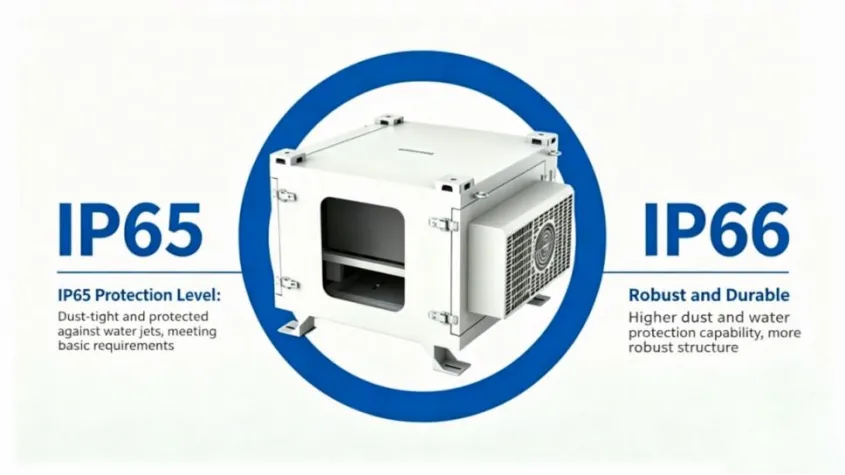
Ingress protection is separate from thermal performance. ShiRui’s intelligent climate-controlled enclosure main tested model shirui-12000, report CTB200724004Q, was tested to GB/T 4208-2017 for IP65, and the tested items met the specified requirements. The report records no internal water ingress after IPX5 water testing and no internal dust after IP6 dust testing. However, IP65 does not define cooling capacity, airflow volume, AC performance, or projector operating temperature. Adding vents or drilling openings may affect documented ingress protection.
For environmental sealing comparisons, see IP54 vs IP55 vs IP65 Projector Enclosures.
ShiRui Pro Tip: I never choose fan cooling or air conditioning from lumens alone. I ask for power consumption, heat dissipation, airflow drawings, site temperature, sunlight, dust level, and maintenance access first.
Cost & Buying Factors
The cost of solving projector enclosure overheating depends on whether the issue is maintenance-related, installation-related, airflow-path-related, or cooling-capacity-related. Cleaning a clogged projector air filter is very different from redesigning baffles, upsizing filters, replacing fans, or rebuilding an air-conditioned projector enclosure cooling system.
Information Needed for an Overheating Review
A professional review requires documented equipment and site data. Without it, the diagnosis becomes guesswork.
Based on our internal data and market analysis, here is the breakdown:
| Required Information | Why It Is Needed | Area Affected |
|---|---|---|
| Projector brand and exact model | Confirms official heat and airflow data | Cooling design |
| Lens model | Affects position and enclosure fit | Mechanical layout |
| Quantity | Identifies shared heat zones | Cooling load |
| Power consumption | Indicates heat generation | Thermal assessment |
| Heat-dissipation data | Manufacturer basis for cooling | AC/fan selection |
| Published exhaust airflow | Helps understand projector design | Air path planning |
| Intake/exhaust locations | Prevents blocked vents | Internal layout |
| Installation orientation | Confirms approved use | Reliability |
| Operating mode and hours | Defines real duty cycle | Heat accumulation |
| Enclosure dimensions | Determines available air volume | Layout and service |
| Internal equipment list | Adds heat sources | Cooling capacity |
| Fan model and quantity | Checks installed airflow potential | Ventilation |
| Filter type and dimensions | Evaluates resistance and maintenance | Airflow |
| AC model and capacity | Reviews active cooling | Climate control |
| Site temperature, humidity, altitude | Defines environmental load | Cooling margin |
| Direct sunlight exposure | Identifies solar heat gain | Exterior design |
| Temperature logs and alarm codes | Confirms failure pattern | Troubleshooting |
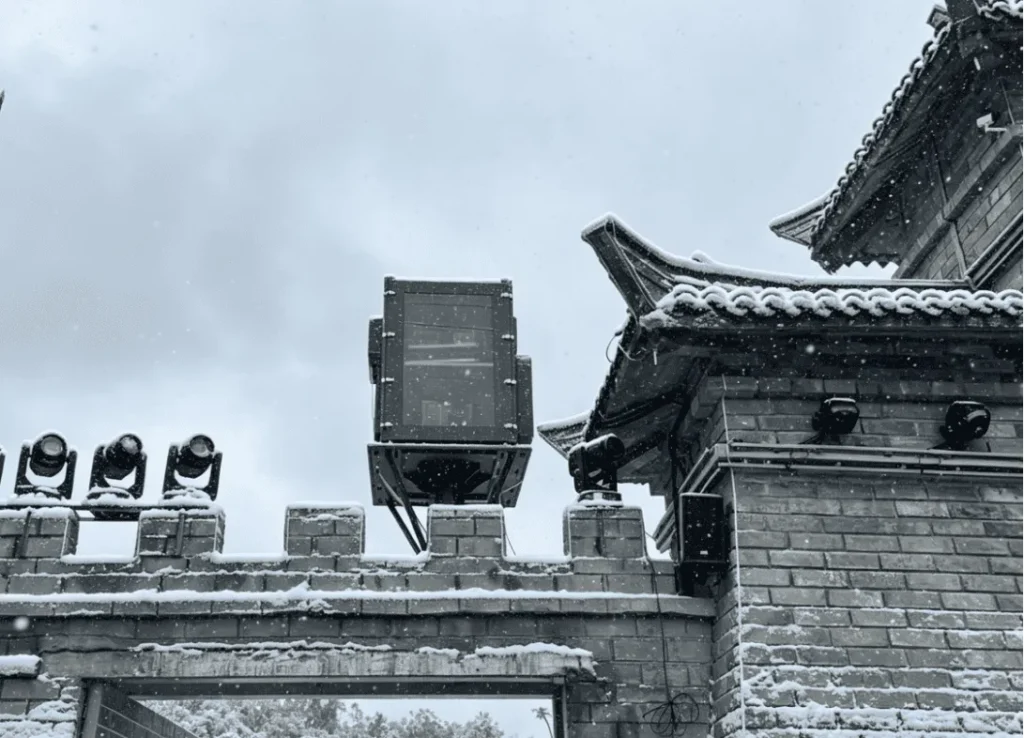
| Project photos and airflow video | Shows installation reality | Diagnosis |
| Electrical/controller drawings | Checks controls and sensors | Operation |
Buying decisions should also consider corrosion risk, insects, salt air, sand, maintenance access, service clearances, optical-window heat, drainage, controller logic, spare filters, and whether the enclosure will be used for a single projector, dual projector, or vertically stacked configuration. Relevant planning pages include Outdoor Projector Enclosures product page, Outdoor Projector Enclosure for 20K–40K Lumens, and Vertically Stacked Projector Enclosures.
ShiRui Pro Tip: The lowest purchase price can become expensive if filters are hard to reach, sensors are in the wrong place, or the enclosure cannot be serviced without disturbing alignment.
Conclusion
Projector enclosure overheating is usually solved by finding where heat is generated, where airflow is restricted, where exhaust recirculates, and where measurements are misleading. The correct fix may be maintenance, airflow redesign, sensor relocation, fan reselection, AC service, or a full enclosure review—not a universal CFM rule.
Field Answers and Next Steps
Use these quick answers when screening a site before deeper engineering review.
- Why does my projector overheat only when the enclosure door is closed? The closed cabinet may restrict intake, trap exhaust, increase filter resistance, or create hot-air recirculation.
- Can a dirty filter cause projector thermal shutdown? Yes. A clogged projector air filter, enclosure filter, AC filter, mesh, or insect screen can reduce cooling airflow.
- Will adding more fans stop projector overheating? Not always. If fan direction, static resistance, or air path is wrong, more fans can worsen recirculation.
- How can I tell whether hot exhaust is returning to the intake? Measure projector intake temperature and use a qualitative smoke-path test to visualize air movement.
- Is an IP65 enclosure more likely to overheat? Not inherently, but IP65 does not prove thermal performance. Sealing and cooling must be designed together.
- Does a high-lumen projector always require air conditioning? No. Cooling selection depends on exact model, power, heat load, airflow, site conditions, and enclosure layout.
- Why is the projector overheating when the enclosure sensor looks normal? The sensor may be away from the projector intake or hot upper zone. Measure at the intake.
- What data should I send to the enclosure manufacturer? Send exact projector data, enclosure details, site conditions, logs, photos, and airflow video.
For condensation-related thermal and sealing issues, see How to Prevent Condensation Inside a Projector Enclosure.
Send ShiRui your projector brand, exact model, lens, quantity, power consumption, heat-dissipation data, installation orientation, enclosure dimensions, fan or air-conditioner specifications, filter details, site temperature, altitude, temperature logs, alarm codes, project photos, and an airflow video for an enclosure overheating review.
ShiRui Pro Tip: The best overheating report includes photos, logs, and a short airflow video. With those three items, we can usually separate maintenance faults from enclosure design problems much faster.